Tree
You can easily find and manage users, groups, computers and organization objects in the SambaBox enterprise directory through the tree structure.
Overview
The Tree screen visually presents the hierarchical structure of the enterprise directory (LDAP). It consists of two trees side by side. Both trees start from the root of the domain and list default containers such as Builtin, Computers, Domain Controllers, ForeignSecurityPrincipals, Managed Service Accounts and Users, along with the organizational units you have created.
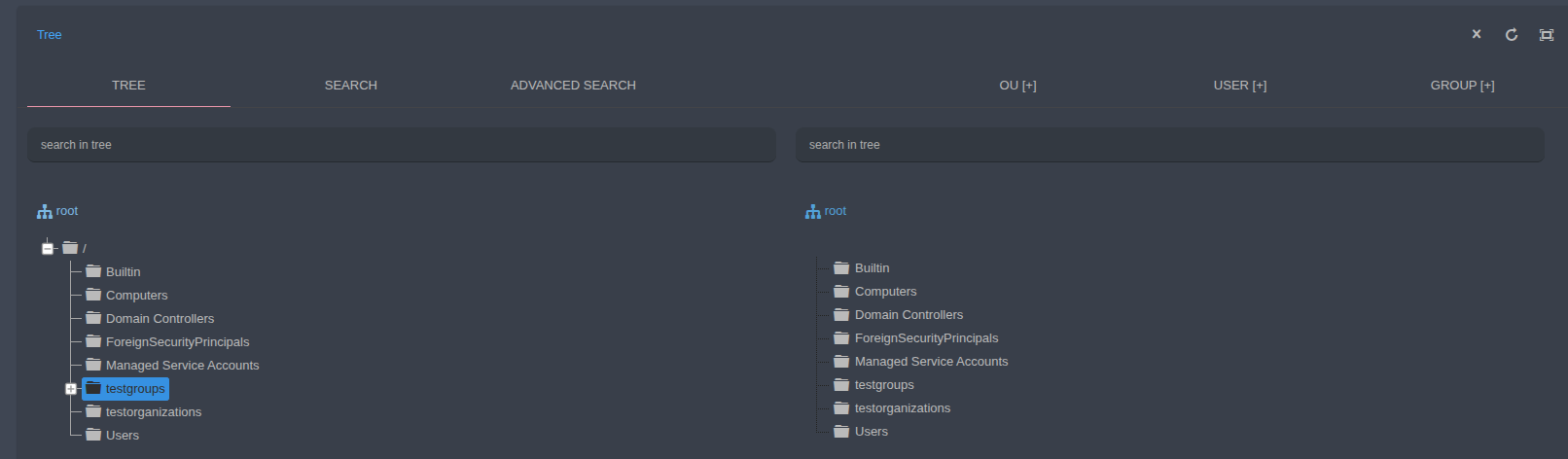
Left tree: Used to navigate the directory and select the target organizational unit. Expand or collapse child items with the [+] / [-] icon next to a node.
Right tree: Shows the contents (users, groups, computers and child organizational units) of the container selected in the left tree. You can move objects to another organizational unit by dragging and dropping them, one by one or in bulk, from the right tree to the left tree.
search in tree: The search box above each tree quickly filters the objects displayed in that tree.
Location bar: The current location is shown above the tree as
root / testgroups. Click root to return to the top level.
Right-Click Menus
When you right-click an object in the tree, a menu with operations specific to the object type is displayed.
Organizational Unit
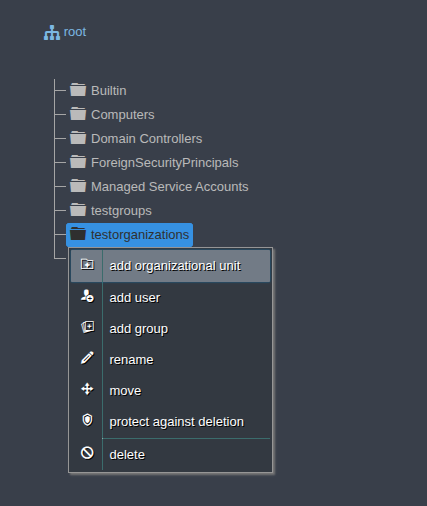
Add organizational unit: Creates a child organizational unit under the selected unit.
Add user: Creates a new user in the selected unit.
Add group: Creates a new group in the selected unit.
Rename: Changes the name of the organizational unit.
Move: Moves the organizational unit to another location.
Protect from deletion: Prevents the organizational unit from being deleted accidentally.
Delete: Deletes the organizational unit.
See Organizational Units for details.
User
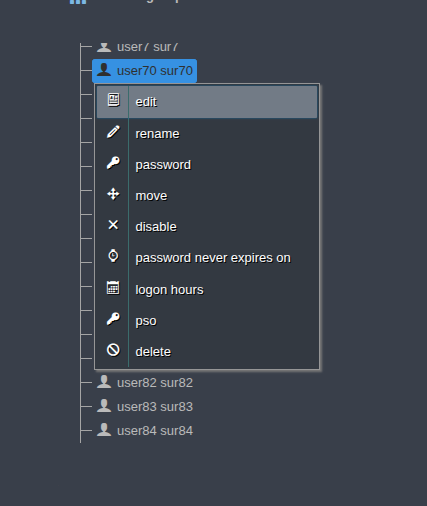
Edit: Displays and edits the user’s attributes.
Rename: Changes the user’s name.
Password: Changes the user’s password.
Move: Moves the user to another organizational unit.
Disable / Enable: Disables or re-enables the user account.
Password never expires on/off: Sets whether the user’s password expires.
Logon hours: Defines the days and hours the user is allowed to log on.
PSO: Assigns a fine-grained password policy (Password Settings Object) to the user.
Delete: Deletes the user.
See Users for details.
Group
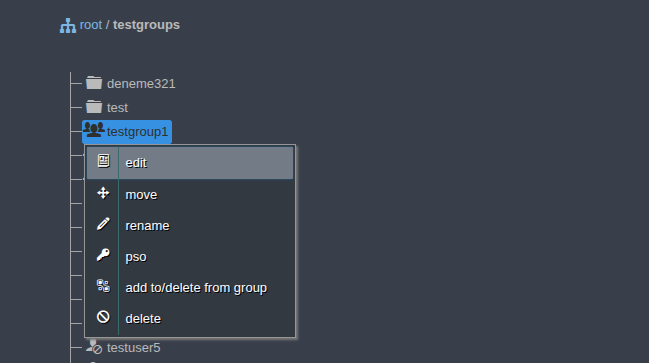
Edit: Displays and edits the group’s attributes and members.
Move: Moves the group to another organizational unit.
Rename: Changes the group’s name.
PSO: Assigns a fine-grained password policy to the group.
Add/remove entity to/from group: Adds the group to, or removes it from, other groups.
Delete: Deletes the group.
See Groups for details.
Computer
Edit: Displays and edits the computer object’s attributes.
Move: Moves the computer to another organizational unit.
Disable / Enable: Disables or re-enables the computer account.
Reboot: Restarts the computer remotely.
Shutdown: Shuts the computer down remotely.
System information: Displays the computer’s hardware and operating system information.
Delete: Deletes the computer object from the directory.
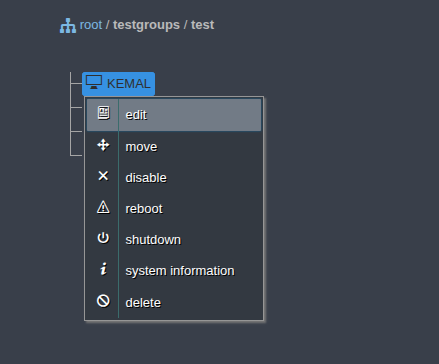
See Computers for details.
Object Operations
Operations for the objects in the tree are described in detail on the following pages: